PromoMath
Know if your sale will make money before you launch it.
Ingredients
- Status
- Shopify App Store
- Year
- 2026
- Platform
- Shopify embedded app. Runs inside your admin.
- Reads
- Price and Cost per item, live from Shopify. Read-only.
- Price
- $9/month, 7-day free trial.
- Not
- Accounting, analytics, inventory, AI, or repricing.
The problem
A sale is easy to set up in Shopify and hard to check. A flat 20 percent off looks fine on the product with a healthy margin and quietly loses money on the one where the cost crept up last quarter. Most merchants find out after the promotion, when the orders are in and the margin is gone.
About
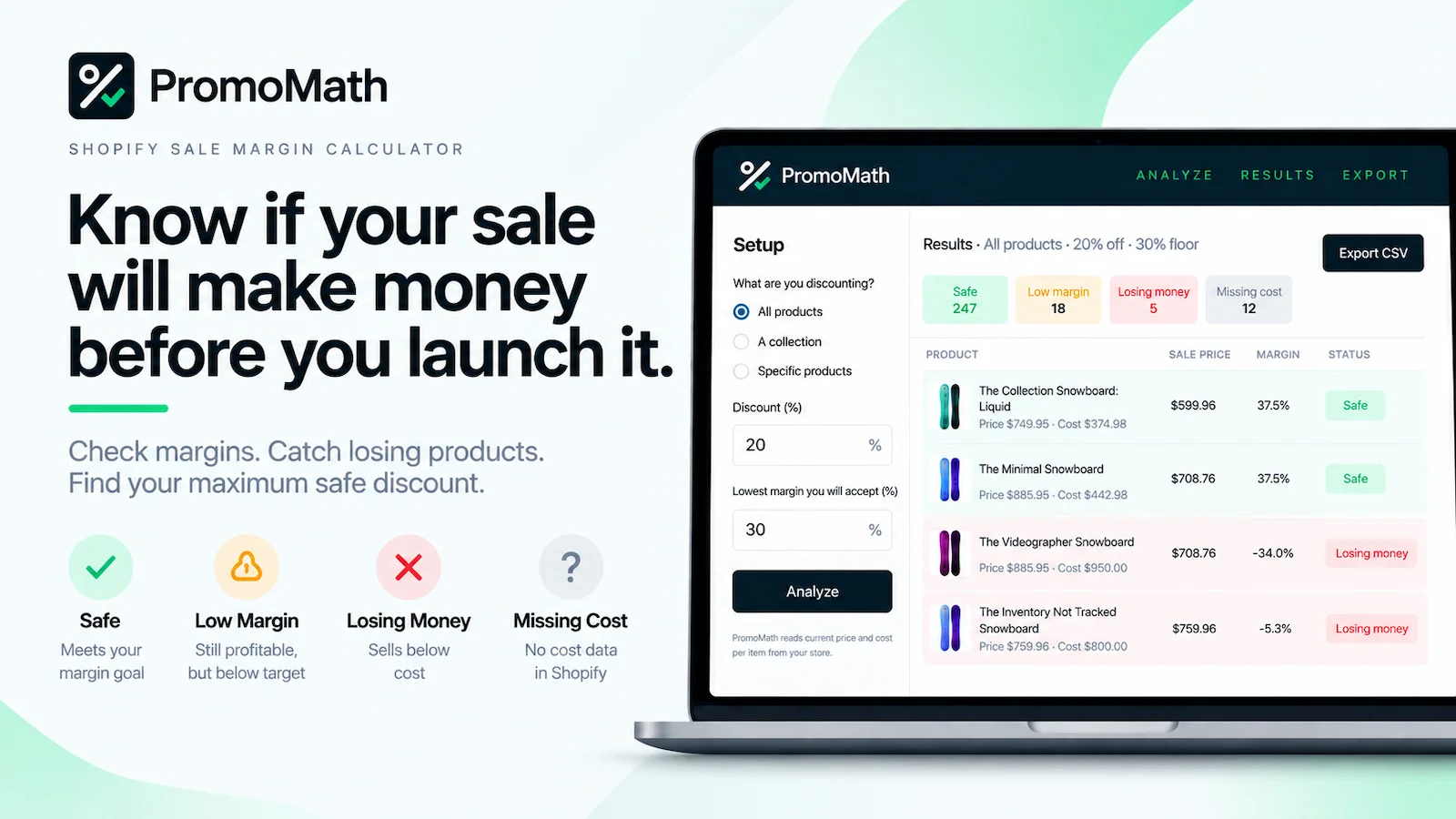
PromoMath checks the margins on a proposed Shopify sale before it goes live. You pick the products, enter the discount you have in mind, and set the lowest gross margin you are willing to keep. PromoMath reads the price and Cost per item already in Shopify and sorts every variant into Safe, Low Margin, Losing Money, or Missing Cost.
It also shows the maximum safe discount for each variant: how far you can go and still hold your margin. Results export to CSV if you want them in a spreadsheet. Nothing is synced, nothing is stored, and nothing in your store is changed.
What the results mean
Every variant gets one of four verdicts. The math is gross margin on the discounted price: sale price minus Cost per item, divided by sale price.
Discount away. (Safe)
At the proposed discount, the variant stays at or above your target margin.
Still profitable, below your floor. (Low Margin)
The variant makes money at this discount, but its margin falls under the minimum you set.
The sale price is below cost. (Losing Money)
Every unit sold at this discount loses money. These are the ones a flat sale hides.
Shopify has no Cost per item. (Missing Cost)
Margin cannot be calculated without a cost, so the variant is flagged rather than counted as safe.
How far you can go. (Maximum Safe Discount)
For every variant with a price and a cost, the deepest discount that still holds your minimum margin.
Method
Screens
How it works
Choose your products
All products, one collection, or a handful of specific products. Whatever you are thinking of putting on sale.
Enter your proposed discount
The percentage off you have in mind. PromoMath applies it to the current price of every variant in scope.
Set your minimum margin
The lowest gross margin you are willing to accept on a sale item. PromoMath remembers it for next time.
See what's safe
Every variant lands in one of four results, with its margin at the sale price and the deepest discount it can take.
Service Notes
Pricing
- $9/month
- One plan, billed through Shopify on your regular invoice. Cancel by uninstalling the app.
- 7-day free trial
- Run it on your real catalog before you pay anything. No charge during the trial.
Get it
PromoMath is on the Shopify App Store. Install it, set your margin, and check your next sale before it goes live.
Get SupportTry the free calculatorProfit margin calculatorView on Shopify